Field-defined records
Each PointCloud2 message declares PointField entries, including name, byte offset, datatype, and count. A reader uses that layout to find x, y, z and optional dimensions.

ROS 2 point clouds
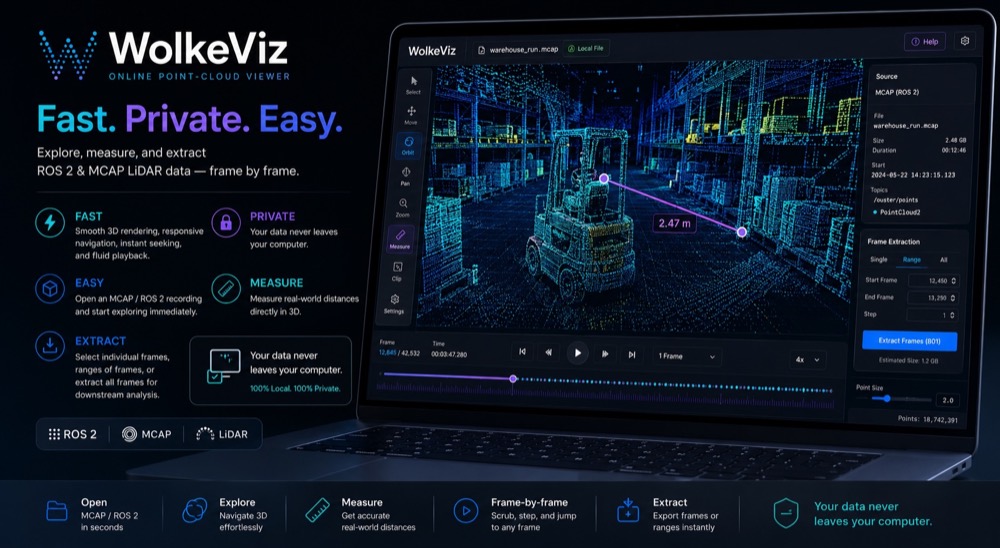
A ROS 2 PointCloud2 message is a binary, field-described point cloud. WolkeViz decodes supported PointCloud2 streams from indexed MCAP recordings in the browser, helping you verify fields, geometry, timestamps, and coordinate-frame identifiers before writing or debugging a ROS 2 processing node.
At a glance
Each PointCloud2 message declares PointField entries, including name, byte offset, datatype, and count. A reader uses that layout to find x, y, z and optional dimensions.
Width and height describe whether a cloud is arranged like an image grid or a flat collection of points. Both forms can be valid and need different assumptions in downstream processing.
The message header identifies the coordinate frame and timestamp. Those values matter when comparing sensor data or transforming points into a vehicle, map, or camera frame.
Practical workflow
Technical notes
PointCloud2 is not a fixed XYZ structure. The fields array and point_step specify the binary record layout, while is_bigendian identifies byte order. Coordinates are often float32 fields, but a producer may include additional types and names.
The header's frame_id does not transform the points by itself; it tells ROS consumers which coordinate frame the data belongs to. WolkeViz does not apply TF, odometry, SLAM, or motion compensation, so correct fusion or measurement across topics still requires the corresponding transforms and a deliberate time policy.
The is_dense flag is a useful hint about invalid values, but viewers and processing nodes should still be prepared for NaNs or missing returns where the producer permits them. Inspect the declared fields and several frames rather than assuming one visible frame represents the complete stream.
See it in use
See WolkeViz open and inspect a ROS 2 MCAP point-cloud recording in the browser.
Questions and answers
It is the standard sensor_msgs/msg/PointCloud2 message type for binary point-cloud data. It carries a timestamped header, field layout, dimensions, and the raw point payload.
Yes. The fields list can include x, y, z, rgb or rgba, intensity, ring, time, and other producer-defined attributes. The exact fields depend on the driver and sensor.
It identifies the coordinate frame used by the points. You need the correct transform and time alignment before comparing a point cloud with other vehicle, map, or camera data.
Keep exploring