Container versus message
An MCAP file may contain many topics and schemas. For point-cloud viewing, the important question is whether a channel contains ROS 2 sensor_msgs/msg/PointCloud2 data the viewer can decode.

ROS 2 recording viewer
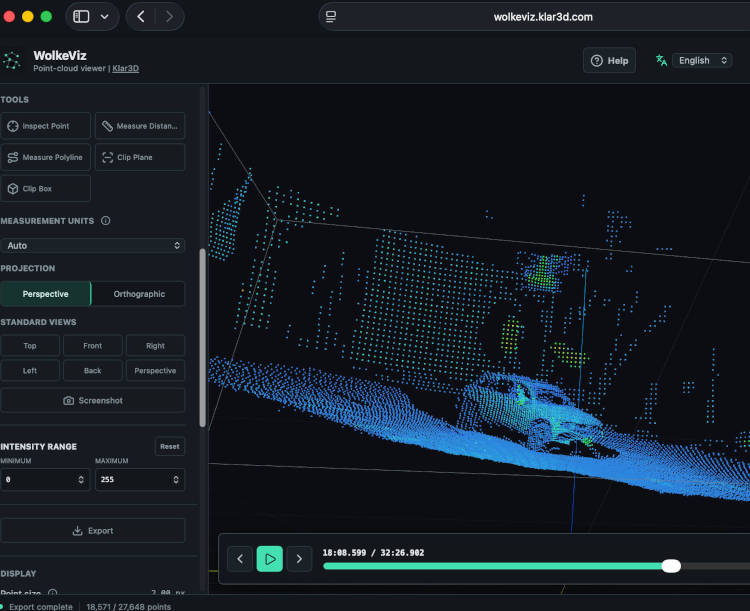
MCAP is a container for timestamped message streams, not one sensor format. WolkeViz opens supported indexed ROS 2 MCAP recordings locally, lets you select a `sensor_msgs/msg/PointCloud2` topic, and provides timeline inspection, measurements, clipping, and PCD frame export without ROS 2, an upload, or an account.
At a glance
An MCAP file may contain many topics and schemas. For point-cloud viewing, the important question is whether a channel contains ROS 2 sensor_msgs/msg/PointCloud2 data the viewer can decode.
Choose a point-cloud topic, move through the recording timeline, inspect frame rate and fields, and use persistence or accumulation when those views help interpret motion.
Export the current frame, every Nth frame, an inclusive range, or an approximately fixed number of frames distributed across a range. Multiple frames download as binary PCD files in a ZIP with a provenance manifest.
Practical workflow
Technical notes
ROS 2 PointCloud2 messages describe a rectangular or unorganized cloud using width, height, point_step, row_step, endianness, and a list of PointField definitions. The field definitions identify the byte offset, datatype, and count for coordinates and optional attributes such as intensity or colour.
WolkeViz uses MCAP indexes to locate selected messages without reading the entire recording into memory. Current MCAP support is for ROS 2 PointCloud2 streams in uncompressed or Zstd-compressed chunks; ROS 1 bags, SQLite .db3 rosbag2 storage, camera topics, and arbitrary custom schemas are outside this viewer workflow.
Playback and accumulation do not apply TF, odometry, SLAM, pose alignment, or motion compensation. A moving sensor can therefore produce smeared accumulated views. Export preserves source coordinates and records available provenance, but the final multi-frame ZIP must fit in browser memory.
See it in use
See WolkeViz open and inspect a ROS 2 MCAP point-cloud recording in the browser.
Questions and answers
No. MCAP is a container. WolkeViz is intended for supported ROS 2 recordings containing sensor_msgs/msg/PointCloud2 data; other schemas such as images or custom messages need tools that understand those message definitions.
Yes. WolkeViz supports a single frame, every n frames, a selected start/end range, or a specified number of evenly spaced frames from a range.
No. A browser workflow can be useful for first inspection of a supported local recording before setting up a complete ROS 2 environment or conversion pipeline.
Keep exploring