Single-frame export
Use a single selected frame when you need a representative scan for a bug report, scene check, annotation test, or small point-cloud example.

PointCloud2 frame extraction
Extract binary PCD samples from a supported ROS 2 MCAP PointCloud2 recording without installing ROS 2 or uploading the file. WolkeViz exports the current frame, every Nth frame, or an approximately fixed number of frames distributed across a selected range or the entire sequence.
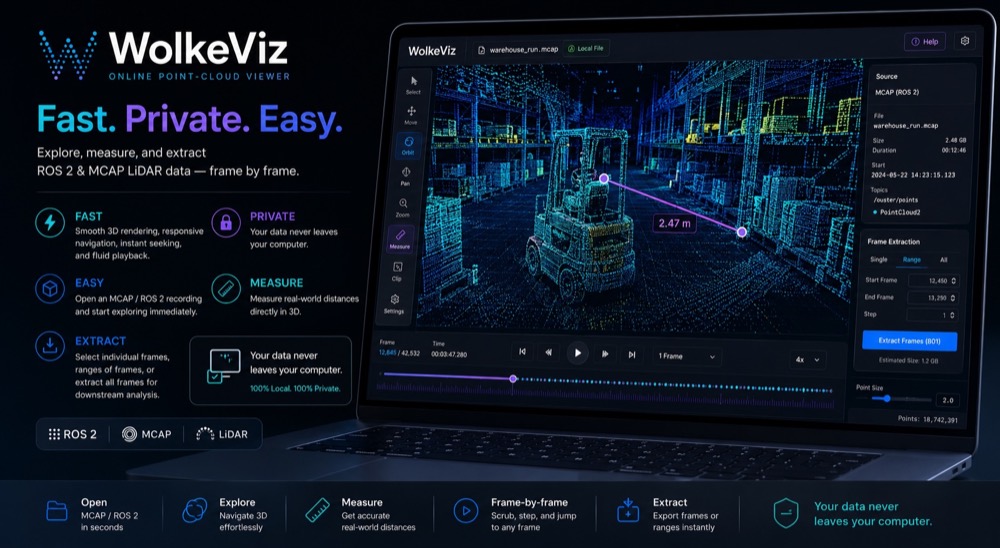
At a glance
Use a single selected frame when you need a representative scan for a bug report, scene check, annotation test, or small point-cloud example.
Choose every n frames when the recording has a stable enough cadence and you want a predictable temporal interval without exporting every message.
Choose a range and target count when you want approximately that many deterministic frames spread across the inclusive range instead of one consecutive block.
Practical workflow
Technical notes
A recording may contain multiple point-cloud topics at different rates. Select the intended channel first; otherwise a correct frame-selection rule can still produce the wrong sensor data.
For every-N sampling, output follows message order within the selected inclusive range. For target-count sampling, deterministic frame indices are distributed across that range. The point budget affects only the display; supported export sources are decoded again at source resolution.
Multiple frames are written as binary PCD files in a ZIP with a wolkeviz-export.json provenance manifest. PCD does not carry complete LAS-style CRS metadata, and WolkeViz does not apply TF or pose alignment. Very large jobs remain limited by browser memory because the final ZIP must fit in memory before download.
See it in use
See WolkeViz open and inspect a ROS 2 MCAP point-cloud recording in the browser.
Questions and answers
Yes. WolkeViz can export every Nth frame or an approximately fixed number of distributed frames from an inclusive range or the entire supported PointCloud2 sequence.
It selects frames distributed across the chosen start/end range. It is useful when you want a fixed-size sample that covers the sequence rather than a consecutive block.
No. For supported PointCloud2 recordings, a browser workflow can select and export the frames you need without a separate full-file conversion step.
Keep exploring